
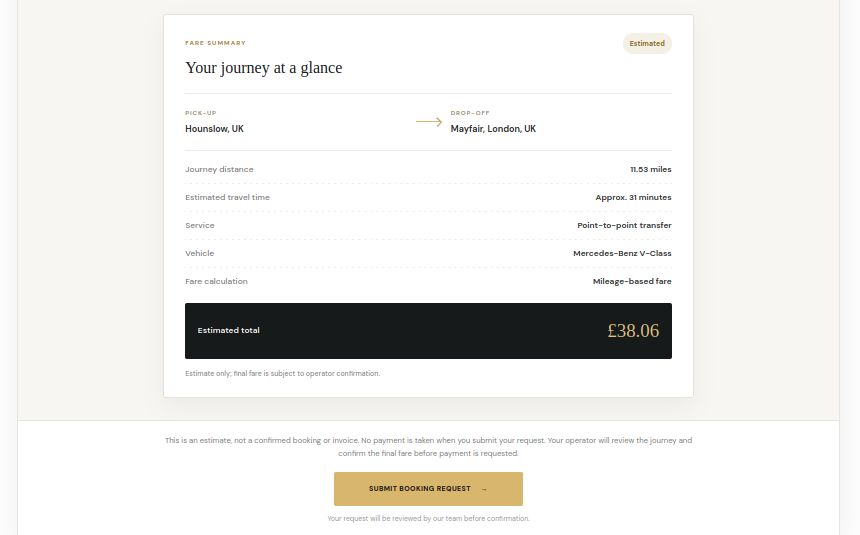
The booking form lets visitors submit a journey request and review an estimated fare before sending the request to the operator. A submitted request is not automatically a confirmed booking.
Customer journey details
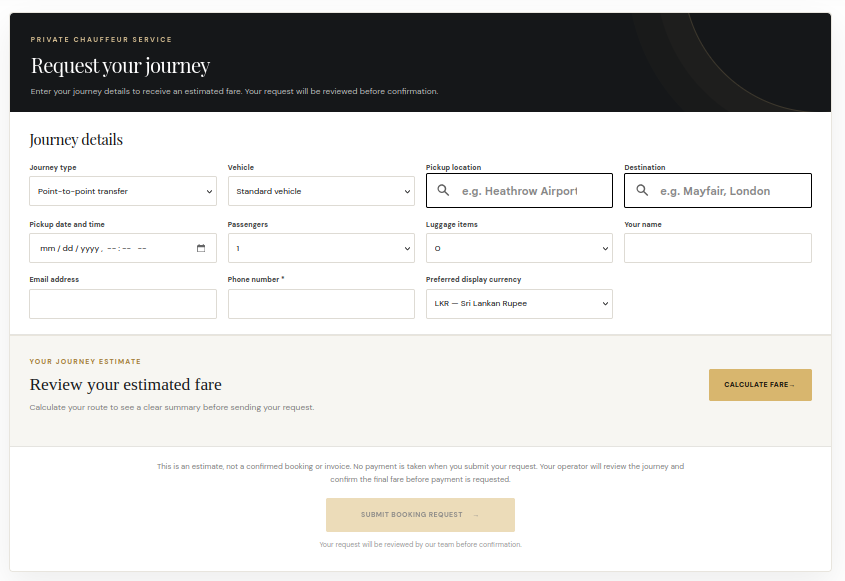
- Choose the journey type, such as a point-to-point transfer or hourly booking.
- Select a vehicle or vehicle category where available.
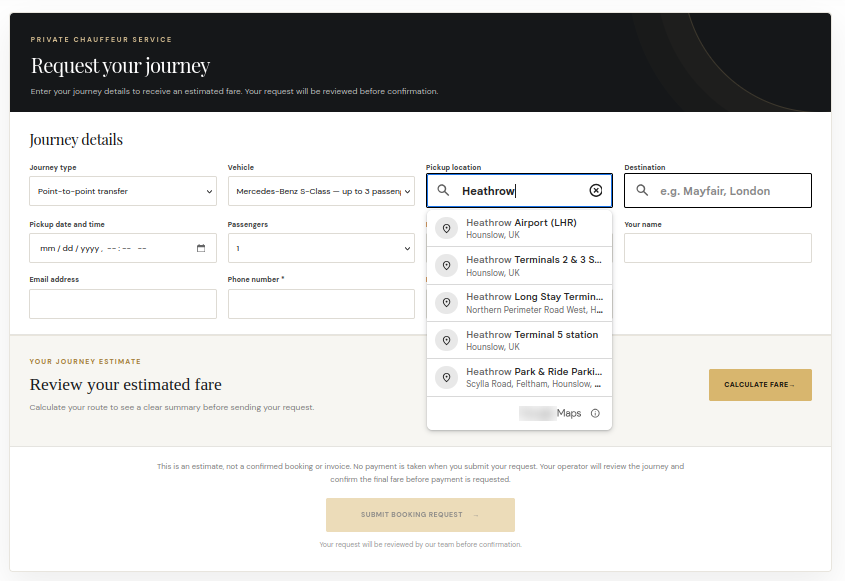
- Enter pickup and destination locations. Google Maps place suggestions help customers select recognised locations when Maps is configured.
- Choose the pickup date and time, passenger count and luggage count.
- Enter customer contact details and choose a displayed currency from the enabled options.
Fare estimate
The estimate is calculated from the configured pricing rules, route distance or hourly duration, minimum fare and any applicable vehicle or fixed-route supplements. The customer sees a journey summary before submitting the request. The operator reviews the request and confirms the final fare.
After submission
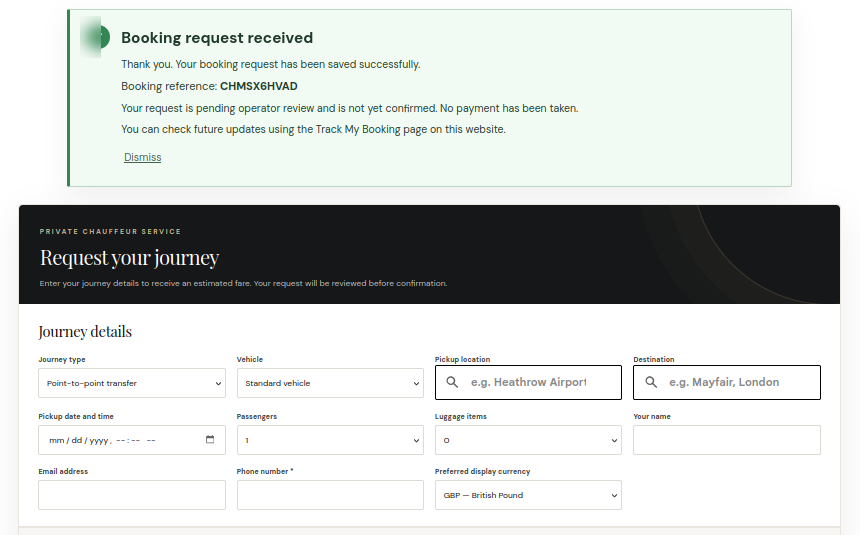
The customer sees a booking-request acknowledgement and reference. The request enters the administration workflow for operator review. The acknowledgement does not mean the booking is confirmed, and no payment is taken merely by submitting the request.
See it in ChauffeurDesk
These screenshots show the related customer and administration screens. Personal details and credentials have been obscured.
Keep your setup secure
Use HTTPS, restrict access to administrator and driver pages, keep payment and Maps credentials private, and test configuration changes before using them with live customers.