
Maintain the vehicles and driver records that are available to your booking operation. Keep capacities, contact details and expiry information current.
Vehicles
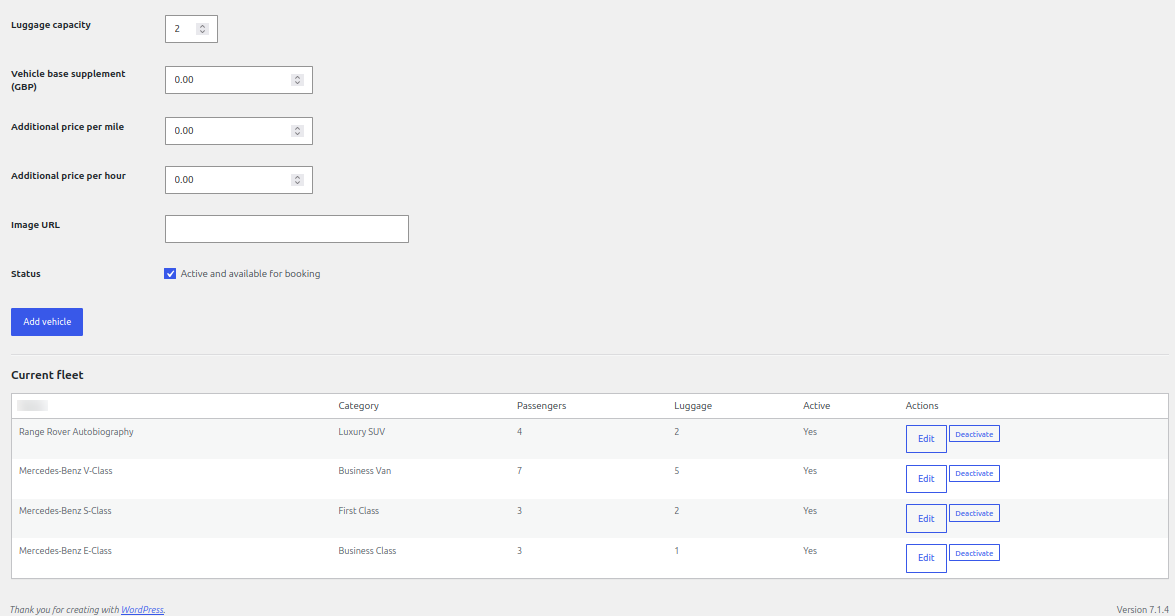
- Open Chauffeur Bookings → Fleet.
- Add the vehicle name, category, passenger capacity and luggage capacity.
- Enter any vehicle base supplement, additional per-mile price or hourly supplement.
- Add a publicly accessible vehicle image URL if you want to display an image.
- Keep the vehicle active only while it is available for booking. Use Edit to update a record or Deactivate to remove it from new booking choices.
Drivers
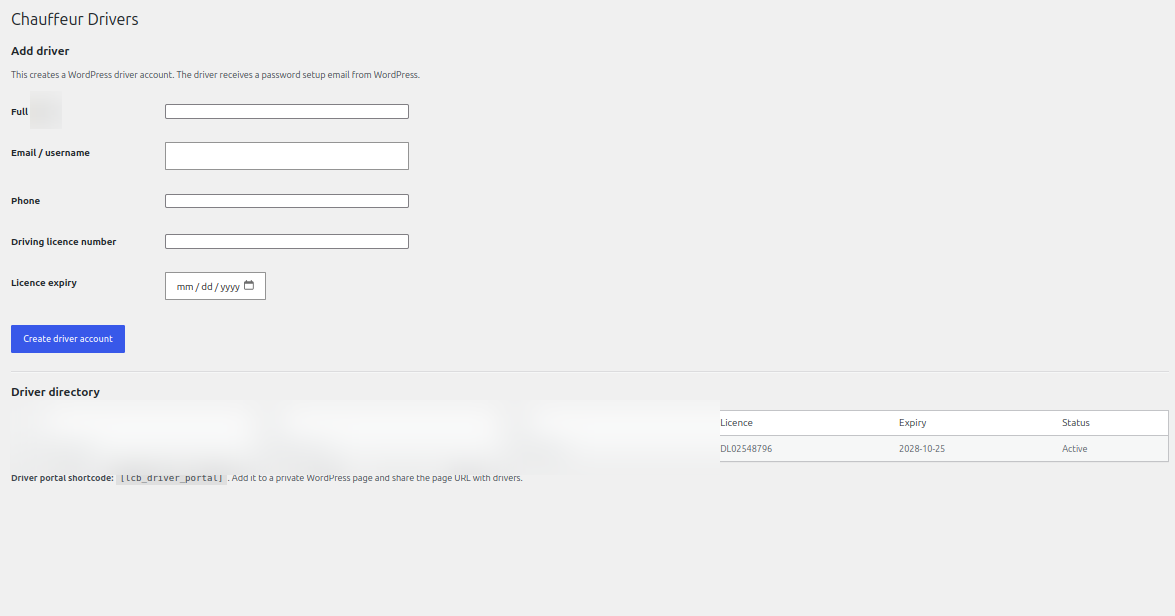
- Open Chauffeur Bookings → Drivers.
- Enter the driver name, email/username, phone number, driving licence number and licence expiry date.
- Create the driver account. WordPress sends the driver a password setup email.
- Share the private Driver Portal page URL with the driver. The driver signs in using their WordPress account.
Driver portal and journey updates
Drivers can use the driver portal to review assigned work and update journey progress. Assign only active driver accounts, and keep driver contact and licence details up to date.
Driver documents and vehicle maintenance
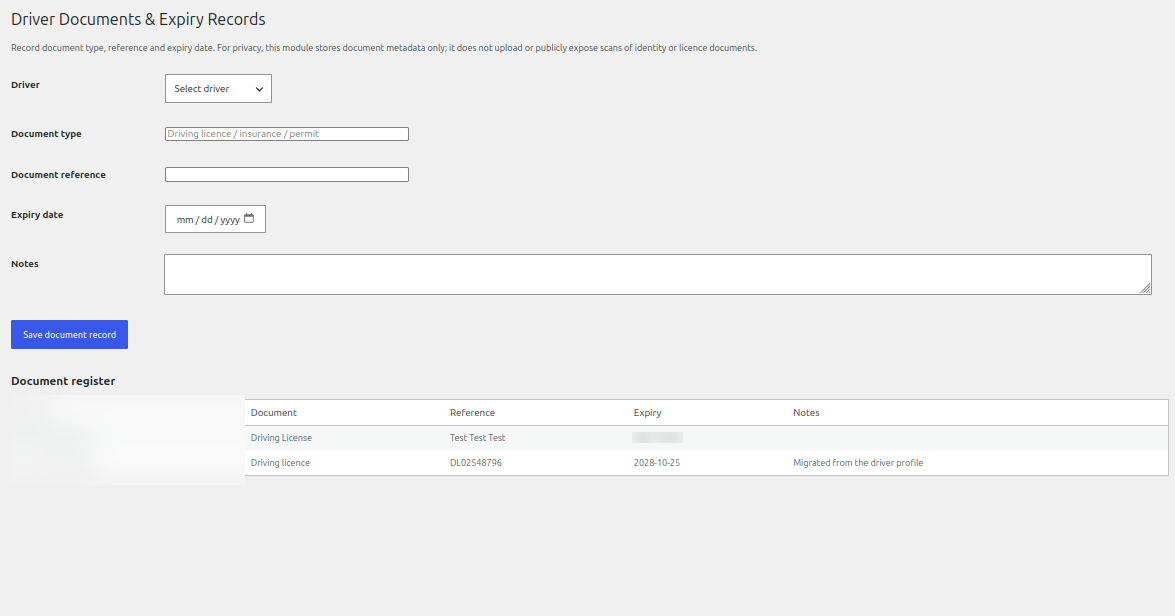
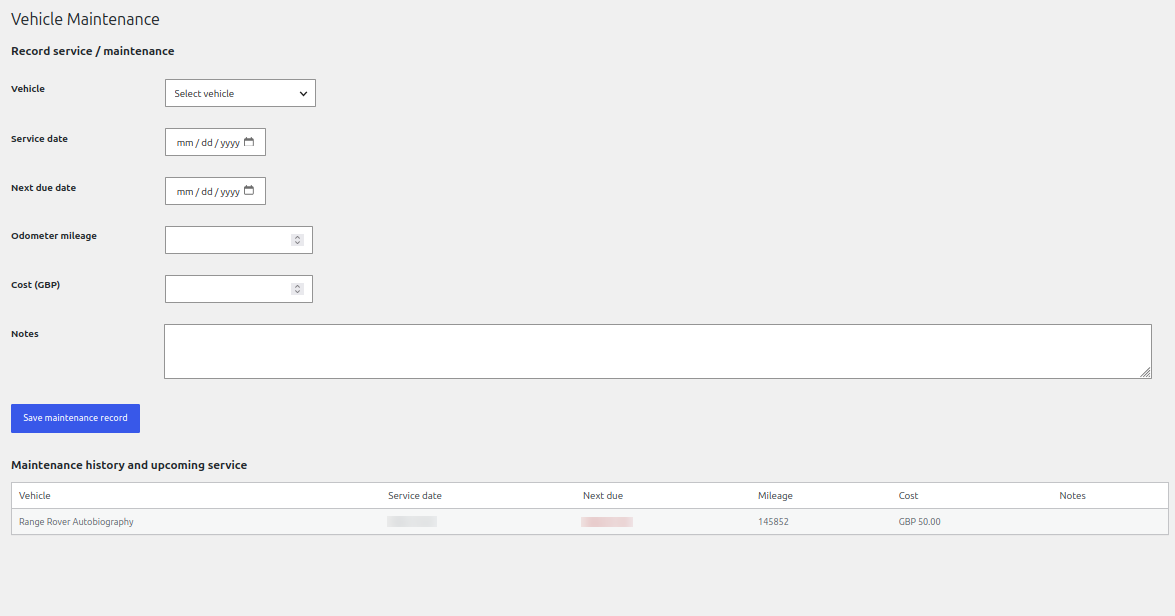
The Driver Documents area stores document metadata such as document type, reference and expiry date; it does not upload or publicly expose scans of identity or licence documents. Vehicle Maintenance records service dates, next due dates, odometer readings, costs and notes.
See it in ChauffeurDesk
These screenshots show the related customer and administration screens. Personal details and credentials have been obscured.
Keep your setup secure
Use HTTPS, restrict access to administrator and driver pages, keep payment and Maps credentials private, and test configuration changes before using them with live customers.