
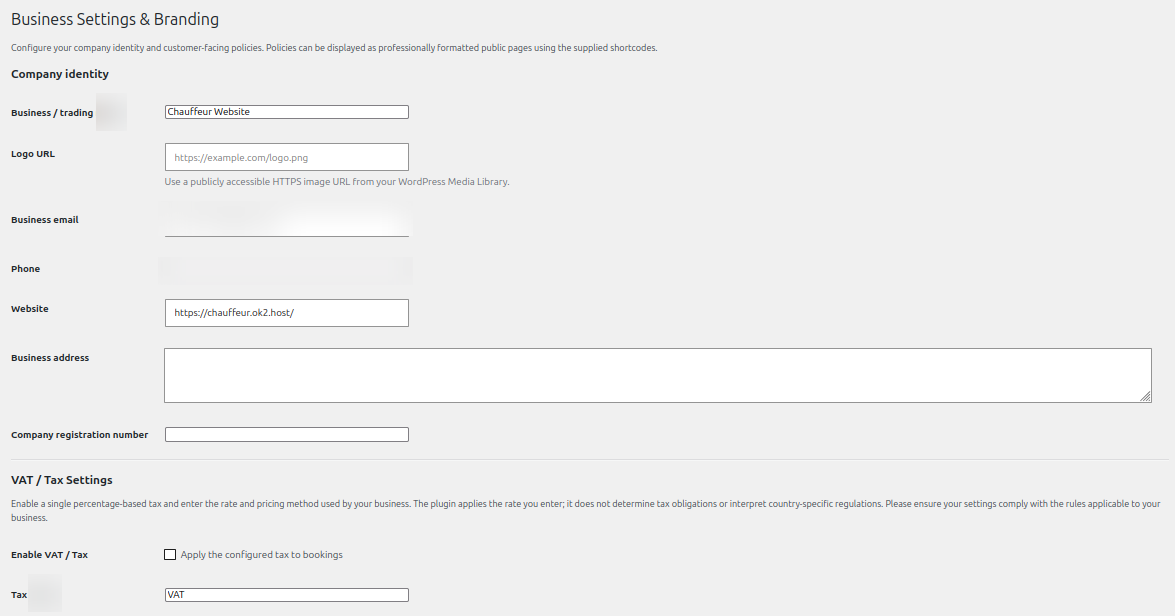
The business settings area contains your customer-facing business identity, tax configuration and policy text.
Company identity
- Enter the business or trading name.
- Add a publicly accessible HTTPS logo URL if required.
- Set the business email, phone, website and business address.
- Add the company registration number if applicable.
VAT and tax
You can enable a percentage-based tax, set its label and rate, and choose the applicable pricing method in the settings. The plugin applies the rate entered by the site administrator; it does not determine tax registration obligations, legal applicability or the correct rate for a jurisdiction. The business owner is responsible for ensuring that the configuration complies with applicable rules.
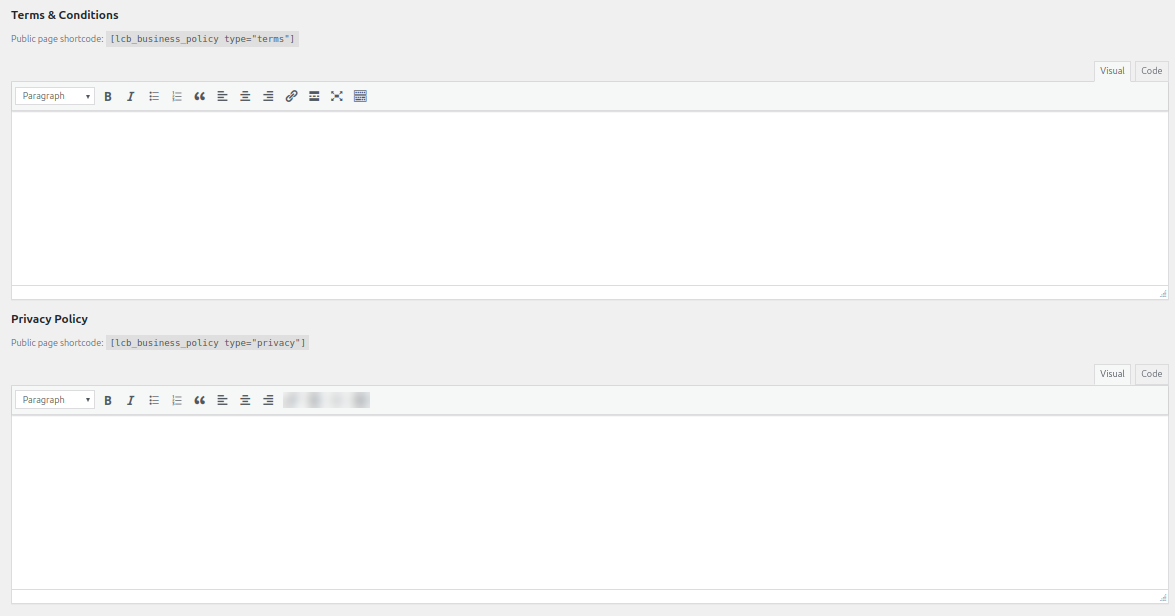
Terms and policies
Enter your terms and conditions and privacy policy in the supplied editors. The configured policies can be displayed on public WordPress pages with the policy shortcodes. Review all policy wording and ensure it reflects your business, local requirements and actual operating practices.
See it in ChauffeurDesk
These screenshots show the related customer and administration screens. Personal details and credentials have been obscured.
Keep your setup secure
Use HTTPS, restrict access to administrator and driver pages, keep payment and Maps credentials private, and test configuration changes before using them with live customers.