
Set a base currency and pricing rules that match the way your chauffeur business quotes journeys. Review the pricing settings carefully before accepting live requests.
Base pricing
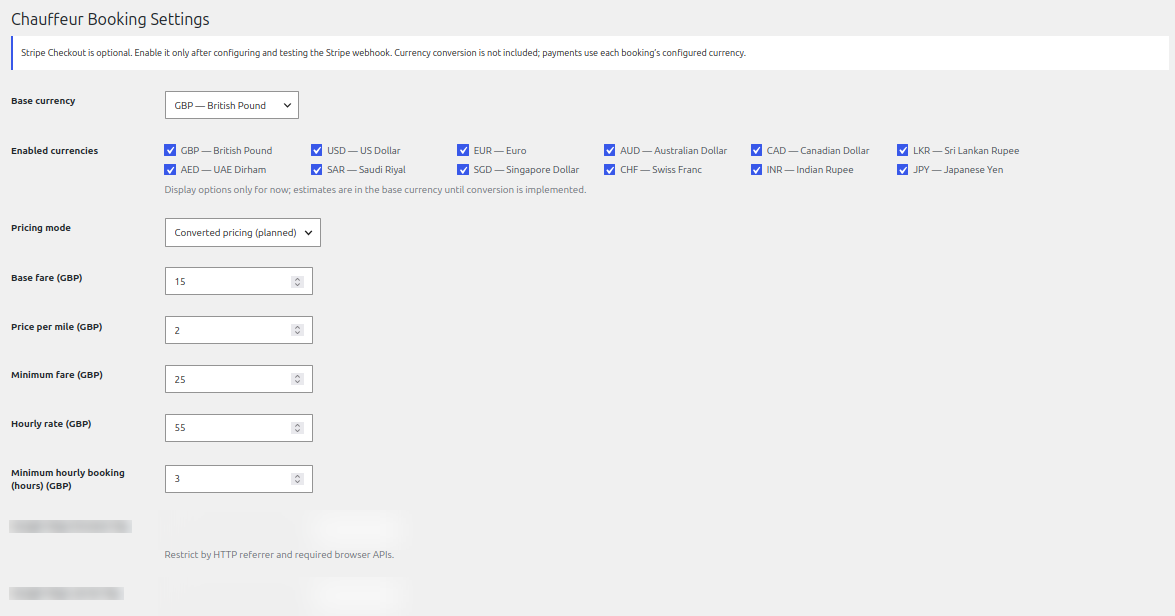
- Choose the base currency for the booking operation.
- Set the base fare, price per mile and minimum fare for transfer bookings.
- Set the hourly rate and minimum hourly booking duration for hourly bookings.
- Review vehicle supplements and any additional per-mile or per-hour charges.
Enabled currencies
Enable the currencies you want to offer as display options on the booking form. In the supplied release, the settings screen notes that currency display options are available while estimates remain in the base currency until currency conversion is implemented. Do not assume that selecting a different display currency converts the quoted amount.
Fixed routes
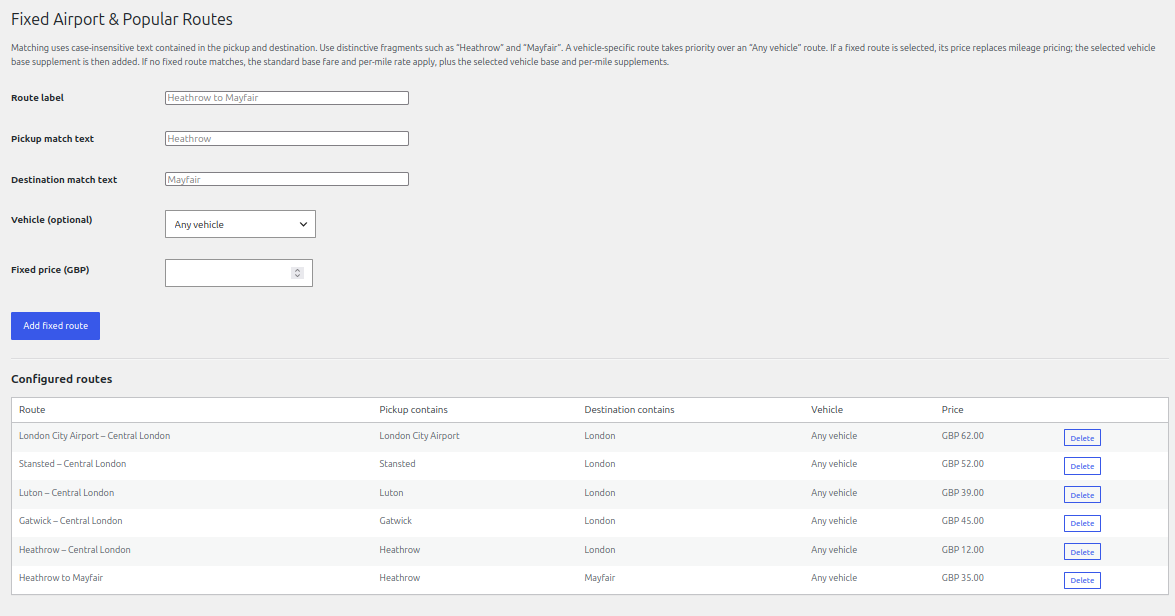
Create fixed routes by entering a route label and distinctive pickup and destination match text. You can optionally restrict a route to a vehicle and enter a fixed price. A matching fixed route can take priority over mileage pricing; otherwise the standard base fare and per-mile rate apply with any relevant vehicle supplements.
Google Maps keys
Google Maps place suggestions and route estimates require suitable Google Maps API keys and billing configuration. Use a browser key restricted by HTTP referrer and the required browser APIs, and a server key restricted to the required server APIs. Never publish unrestricted keys or include secret values in screenshots or support requests.
See it in ChauffeurDesk
These screenshots show the related customer and administration screens. Personal details and credentials have been obscured.
Keep your setup secure
Use HTTPS, restrict access to administrator and driver pages, keep payment and Maps credentials private, and test configuration changes before using them with live customers.