
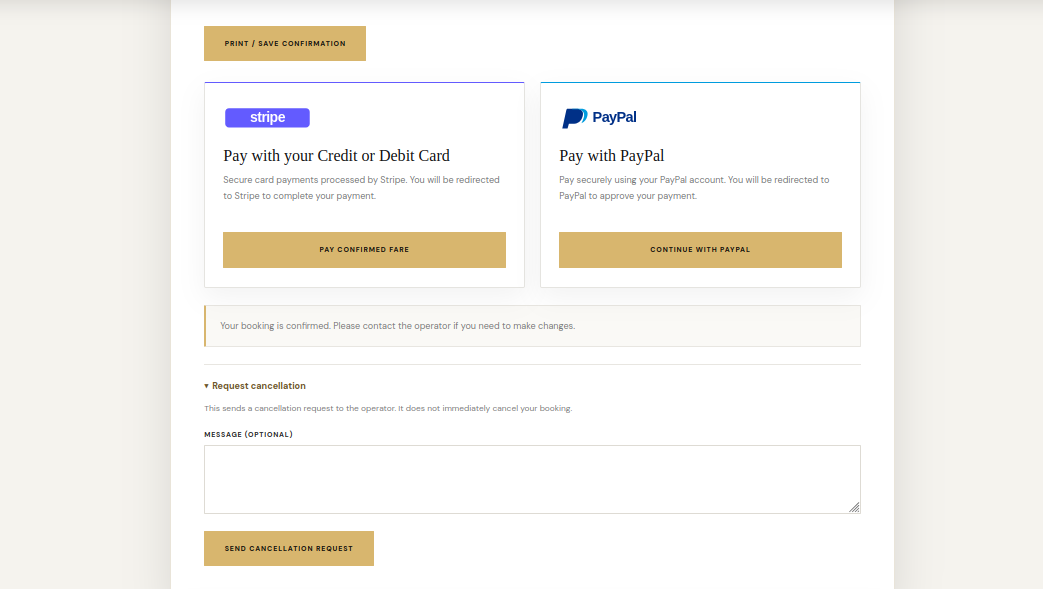
ChauffeurDesk can connect to hosted checkout services. Each payment provider requires a merchant account, valid credentials and configuration appropriate to the business and country.
Available payment providers
- Stripe — configure the publishable key, secret key and webhook details in the payment settings.
- PayPal — configure the client ID, secret and webhook details for the selected mode.
- PayHere — configure the Merchant ID and Merchant Secret for the approved website domain. PayHere checkout supports LKR and USD.
Test before going live
- Start with the provider sandbox or test mode where available.
- Choose whether customers pay the full amount or a configured deposit, where the gateway supports that setting.
- Complete a test booking and checkout using the provider test environment.
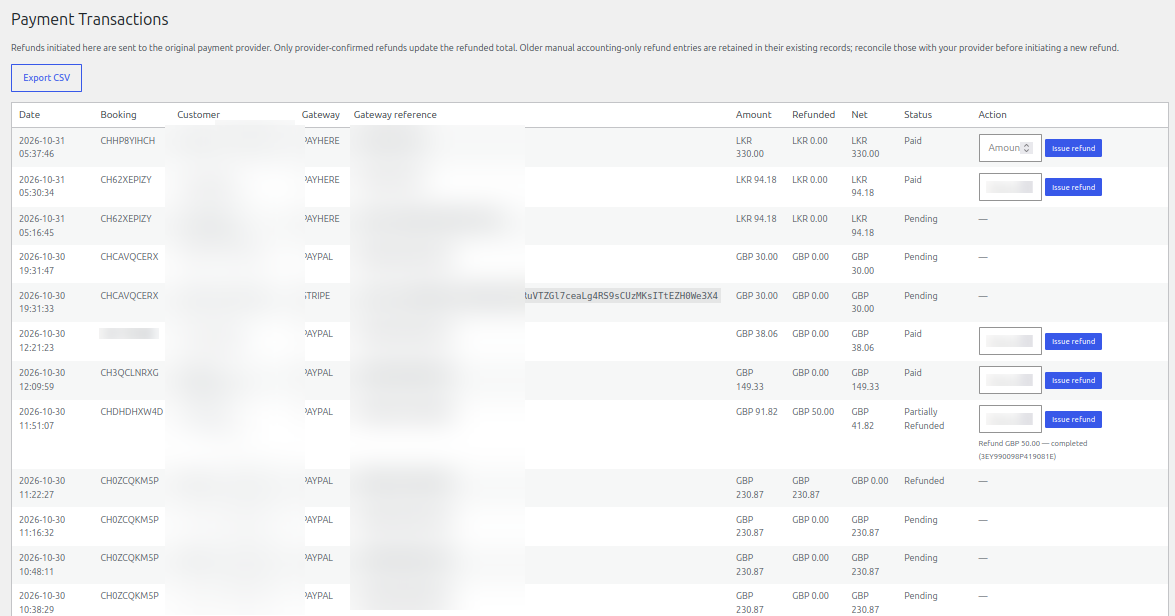
- Verify the transaction in Chauffeur Bookings → Payments and confirm that the payment status changes only after provider confirmation.
- Switch to live credentials only after the provider has approved the website and live checkout has been tested.
Payment status and refunds
A customer returning to your website is not by itself proof of payment. The plugin validates provider notifications before updating payment status. Refunds initiated through the transaction screen are sent to the original provider; only provider-confirmed refunds update the refunded total.
See it in ChauffeurDesk
These screenshots show the related customer and administration screens. Personal details and credentials have been obscured.
Keep your setup secure
Use HTTPS, restrict access to administrator and driver pages, keep payment and Maps credentials private, and test configuration changes before using them with live customers.